<?xml version="1.0" encoding="utf-8"?>
<!DOCTYPE rss [<!ENTITY % HTMLlat1 PUBLIC "-//W3C//ENTITIES Latin 1 for XHTML//EN" "http://www.w3.org/TR/xhtml1/DTD/xhtml-lat1.ent">]>
<rss version="2.0" xml:base="http://www.photographycorner.com">
<channel>
 <title>PhotographyCorner.com - Adobe</title>
 <link>http://www.photographycorner.com/taxonomy/term/159/0</link>
 <description></description>
 <language>en</language>
<item>
 <title>Video Corner #36: Converting Photos to Blank &amp; White</title>
 <link>http://www.photographycorner.com/blog/2009/11/video-corner-36-converting-photos-to-blank-white</link>
 <description> &lt;p&gt;While all but a select few photographers take their photographs in color, black &amp;amp; white photography is as popular as ever.  Today&amp;#8217;s &amp;#8220;Photoshop Monday&amp;#8221; &lt;a href=&quot;http://www.photographycorner.com/blog/categories/video-corner&quot;&gt;Video Corner&lt;/a&gt; walks us through 4 different tools to create black &amp;amp; white photographs from color photos: grey scale, desaturation, the channel mixer and the black and white conversion tool.  While this tutorial is done in &lt;a href=&quot;http://www.amazon.com/gp/product/B000NDIBYG?ie=UTF8&amp;amp;tag=photogra0f-20&amp;amp;linkCode=as2&amp;amp;camp=1789&amp;amp;creative=390957&amp;amp;creativeASIN=B000NDIBYG&quot;&gt;Adobe Photoshop &lt;span class=&quot;caps&quot;&gt;CS3&lt;/span&gt;&lt;/a&gt;&lt;img src=&quot;http://www.assoc-amazon.com/e/ir?t=photogra0f-20&amp;amp;l=as2&amp;amp;o=1&amp;amp;a=B000NDIBYG&quot; width=&quot;1&quot; height=&quot;1&quot; border=&quot;0&quot; alt=&quot;&quot; style=&quot;border:none !important; margin:0px !important;&quot; /&gt;, only the black and white conversion tool is unavailable in earlier versions - in fact, grey scale, desaturation and the channel mixer are probably black and white converstion methods that can be used in almost any post processing program (like &lt;a href=&quot;http://www.amazon.com/gp/redirect.html?ie=UTF8&amp;amp;location=http%3A%2F%2Fwww.amazon.com%2Fs%3Fie%3DUTF8%26x%3D0%26ref%255F%3Dnb%255Fss%26y%3D0%26field-keywords%3DPaint%2520Shop%2520Pro%26url%3Dsearch-alias%253Dsoftware&amp;amp;tag=photogra0f-20&amp;amp;linkCode=ur2&amp;amp;camp=1789&amp;amp;creative=390957&quot;&gt;Paint Shop Pro&lt;/a&gt;&lt;img src=&quot;https://www.assoc-amazon.com/e/ir?t=photogra0f-20&amp;amp;l=ur2&amp;amp;o=1&quot; width=&quot;1&quot; height=&quot;1&quot; border=&quot;0&quot; alt=&quot;&quot; style=&quot;border:none !important; margin:0px !important;&quot; /&gt; or &lt;a href=&quot;http://www.gimp.org/&quot;&gt;Gimp&lt;/a&gt;).&lt;/p&gt; </description>
 <category domain="http://www.photographycorner.com/blog/categories/adobe">Adobe</category>
 <category domain="http://www.photographycorner.com/blog/tags/b-w">b&amp;w</category>
 <category domain="http://www.photographycorner.com/blog/tags/black-and-white">black and white</category>
 <category domain="http://www.photographycorner.com/blog/tags/channel-mixer">channel mixer</category>
 <category domain="http://www.photographycorner.com/blog/tags/desaturation">desaturation</category>
 <category domain="http://www.photographycorner.com/blog/tags/grey-scale">grey scale</category>
 <category domain="http://www.photographycorner.com/blog/tags/photoshop">photoshop</category>
 <category domain="http://www.photographycorner.com/blog/categories/video-corner">Video Corner</category>
 <pubDate>Mon, 09 Nov 2009 19:23:10 -0500</pubDate>
</item>
<item>
 <title>Video Corner #34: Creating an Orange Sky in Adobe Lightroom 2</title>
 <link>http://www.photographycorner.com/blog/2009/11/video-corner-34-creating-an-orange-sky-in-adobe-lightroom-2</link>
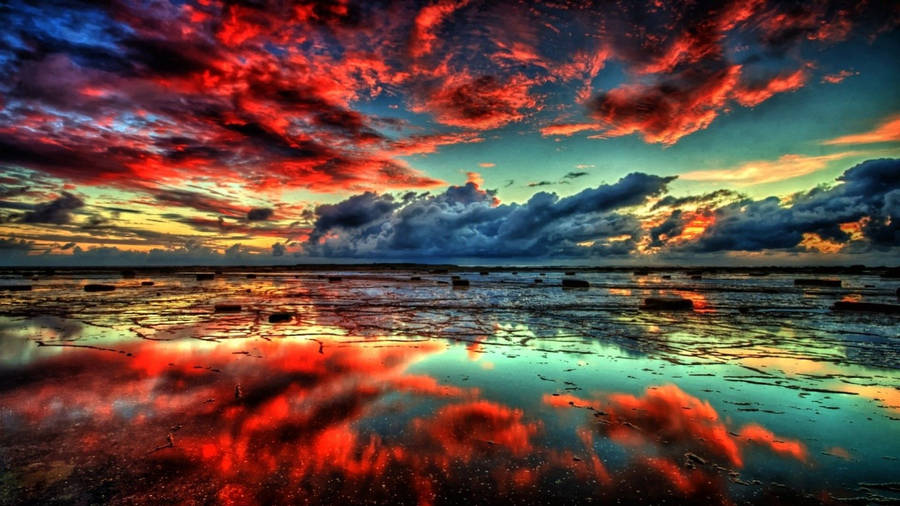
 <description> &lt;p&gt;In just a few easy clicks, today&amp;#8217;s &amp;#8216;Photoshop Monday&amp;#8217; &lt;a href=&quot;http://www.photographycorner.com/blog/categories/video-corner&quot;&gt;Video Corner&lt;/a&gt; walks us through how to create that trendy dark/orange sky in our photographs.  Instead of using &lt;a href=&quot;http://www.amazon.com/gp/product/B001EUBSL0?ie=UTF8&amp;amp;tag=photogra0f-20&amp;amp;linkCode=as2&amp;amp;camp=1789&amp;amp;creative=390957&amp;amp;creativeASIN=B001EUBSL0&quot;&gt;Adobe Photoshop &lt;span class=&quot;caps&quot;&gt;CS4&lt;/span&gt;&lt;/a&gt;&lt;img src=&quot;http://www.assoc-amazon.com/e/ir?t=photogra0f-20&amp;amp;l=as2&amp;amp;o=1&amp;amp;a=B001EUBSL0&quot; width=&quot;1&quot; height=&quot;1&quot; border=&quot;0&quot; alt=&quot;&quot; style=&quot;border:none !important; margin:0px !important;&quot; /&gt;, today&amp;#8217;s video is actually an &lt;a href=&quot;http://www.amazon.com/gp/product/B0018VH8S2?ie=UTF8&amp;amp;tag=photogra0f-20&amp;amp;linkCode=as2&amp;amp;camp=1789&amp;amp;creative=390957&amp;amp;creativeASIN=B0018VH8S2&quot;&gt;Adobe Photoshop Lightroom 2&lt;/a&gt;&lt;img src=&quot;http://www.assoc-amazon.com/e/ir?t=photogra0f-20&amp;amp;l=as2&amp;amp;o=1&amp;amp;a=B0018VH8S2&quot; width=&quot;1&quot; height=&quot;1&quot; border=&quot;0&quot; alt=&quot;&quot; style=&quot;border:none !important; margin:0px !important;&quot; /&gt; video tutorial (&lt;a href=&quot;http://www.amazon.com/gp/product/B0018VH8S2?ie=UTF8&amp;amp;tag=photogra0f-20&amp;amp;linkCode=as2&amp;amp;camp=1789&amp;amp;creative=390957&amp;amp;creativeASIN=B0018VH8S2&quot;&gt;Adobe Photoshop Lightroom 2 is a fantastic pieces of software&lt;/a&gt;&lt;img src=&quot;http://www.assoc-amazon.com/e/ir?t=photogra0f-20&amp;amp;l=as2&amp;amp;o=1&amp;amp;a=B0018VH8S2&quot; width=&quot;1&quot; height=&quot;1&quot; border=&quot;0&quot; alt=&quot;&quot; style=&quot;border:none !important; margin:0px !important;&quot; /&gt; that &lt;b&gt;costs less than &lt;i&gt;half the price&lt;/i&gt;&lt;/b&gt; of &lt;a href=&quot;http://www.amazon.com/gp/product/B001EUBSL0?ie=UTF8&amp;amp;tag=photogra0f-20&amp;amp;linkCode=as2&amp;amp;camp=1789&amp;amp;creative=390957&amp;amp;creativeASIN=B001EUBSL0&quot;&gt;Adobe Photoshop &lt;span class=&quot;caps&quot;&gt;CS4&lt;/span&gt;&lt;/a&gt;&lt;img src=&quot;http://www.assoc-amazon.com/e/ir?t=photogra0f-20&amp;amp;l=as2&amp;amp;o=1&amp;amp;a=B001EUBSL0&quot; width=&quot;1&quot; height=&quot;1&quot; border=&quot;0&quot; alt=&quot;&quot; style=&quot;border:none !important; margin:0px !important;&quot; /&gt;).&lt;/p&gt; </description>
 <category domain="http://www.photographycorner.com/blog/categories/adobe">Adobe</category>
 <category domain="http://www.photographycorner.com/blog/tags/adobe">adobe</category>
 <category domain="http://www.photographycorner.com/blog/tags/lightroom">lightroom</category>
 <category domain="http://www.photographycorner.com/blog/tags/orange">orange</category>
 <category domain="http://www.photographycorner.com/blog/tags/photoshop-monday">photoshop monday</category>
 <category domain="http://www.photographycorner.com/blog/tags/sky">sky</category>
 <category domain="http://www.photographycorner.com/blog/categories/video-corner">Video Corner</category>
 <category domain="http://www.photographycorner.com/blog/tags/video-corner">video corner</category>
 <pubDate>Mon, 02 Nov 2009 19:20:13 -0500</pubDate>
</item>
<item>
 <title>Video Corner #14: Adjustment Brush in Adobe Lightroom 2.0</title>
 <link>http://www.photographycorner.com/blog/2009/08/video-corner-14-adjustment-brush-in-adobe-lightroom-2-0</link>
 <description> &lt;p&gt;This video discusses the &lt;i&gt;non-destructive&lt;/i&gt; applications of both the adjustment brush and the graduated filter application in &lt;a href=&quot;http://www.amazon.com/gp/product/B0018VH8S2?ie=UTF8&amp;amp;tag=photogra0f-20&amp;amp;linkCode=as2&amp;amp;camp=1789&amp;amp;creative=390957&amp;amp;creativeASIN=B0018VH8S2&quot;&gt;Adobe Photoshop Lightroom 2&lt;/a&gt;&lt;img src=&quot;http://www.assoc-amazon.com/e/ir?t=photogra0f-20&amp;amp;l=as2&amp;amp;o=1&amp;amp;a=B0018VH8S2&quot; width=&quot;1&quot; height=&quot;1&quot; border=&quot;0&quot; alt=&quot;&quot; style=&quot;border:none !important; margin:0px !important;&quot; /&gt;.  These powerful tools will let you adjust exposure, brightness, contrast, saturation, clarity and sharpness - &lt;i&gt;locally&lt;/i&gt; and &lt;b&gt;non-destructively&lt;/b&gt;.  No more going into &lt;a href=&quot;http://www.amazon.com/gp/redirect.html?ie=UTF8&amp;amp;location=http%3A%2F%2Fwww.amazon.com%2Fs%3Fie%3DUTF8%26x%3D0%26ref%255F%3Dnb%255Fss%26y%3D0%26field-keywords%3Dphotoshop%26url%3Dsearch-alias%253Dsoftware&amp;amp;tag=photogra0f-20&amp;amp;linkCode=ur2&amp;amp;camp=1789&amp;amp;creative=390957&quot;&gt;Photoshop&lt;/a&gt;&lt;img src=&quot;https://www.assoc-amazon.com/e/ir?t=photogra0f-20&amp;amp;l=ur2&amp;amp;o=1&quot; width=&quot;1&quot; height=&quot;1&quot; border=&quot;0&quot; alt=&quot;&quot; style=&quot;border:none !important; margin:0px !important;&quot; /&gt; and using adjustment layers with masks.  Instead, &lt;a href=&quot;http://www.amazon.com/gp/product/B0018VH8S2?ie=UTF8&amp;amp;tag=photogra0f-20&amp;amp;linkCode=as2&amp;amp;camp=1789&amp;amp;creative=390957&amp;amp;creativeASIN=B0018VH8S2&quot;&gt;Lightroom 2.0&lt;/a&gt;&lt;img src=&quot;http://www.assoc-amazon.com/e/ir?t=photogra0f-20&amp;amp;l=as2&amp;amp;o=1&amp;amp;a=B0018VH8S2&quot; width=&quot;1&quot; height=&quot;1&quot; border=&quot;0&quot; alt=&quot;&quot; style=&quot;border:none !important; margin:0px !important;&quot; /&gt; allows for instant masking!  This feature alone, at least in my opinion, is more than worth the cost of Lightroom 2 (&lt;a href=&quot;http://www.amazon.com/gp/product/B0018VH8S2?ie=UTF8&amp;amp;tag=photogra0f-20&amp;amp;linkCode=as2&amp;amp;camp=1789&amp;amp;creative=390957&amp;amp;creativeASIN=B0018VH8S2&quot;&gt;available from Amazon.com for $260&lt;/a&gt;&lt;img src=&quot;http://www.assoc-amazon.com/e/ir?t=photogra0f-20&amp;amp;l=as2&amp;amp;o=1&amp;amp;a=B0018VH8S2&quot; width=&quot;1&quot; height=&quot;1&quot; border=&quot;0&quot; alt=&quot;&quot; style=&quot;border:none !important; margin:0px !important;&quot; /&gt;!).&lt;/p&gt; </description>
 <category domain="http://www.photographycorner.com/blog/tags/adjustment-brush">adjustment brush</category>
 <category domain="http://www.photographycorner.com/blog/categories/adobe">Adobe</category>
 <category domain="http://www.photographycorner.com/blog/tags/adobe">adobe</category>
 <category domain="http://www.photographycorner.com/blog/tags/lightroom">lightroom</category>
 <category domain="http://www.photographycorner.com/blog/tags/photoshop">photoshop</category>
 <category domain="http://www.photographycorner.com/blog/categories/video-corner">Video Corner</category>
 <category domain="http://www.photographycorner.com/blog/tags/video-corner">video corner</category>
 <pubDate>Mon, 24 Aug 2009 19:57:07 -0400</pubDate>
</item>
<item>
 <title>Articles By Amy: Digital Photography Effects</title>
 <link>http://www.photographycorner.com/blog/2009/08/articles-by-amy-digital-photography-effects</link>
 <description> &lt;p&gt;&lt;a href=&quot;http://www.amazon.com/gp/product/B001EUBSL0?ie=UTF8&amp;amp;tag=photogra0f-20&amp;amp;linkCode=as2&amp;amp;camp=1789&amp;amp;creative=390957&amp;amp;creativeASIN=B001EUBSL0&quot;&gt;&lt;img src=&quot;http://www.photographycorner.com/images/blog/adobe-photoshop-cs4-box.jpg&quot; alt=&quot;Adobe Photoshop CS4&quot; align=&quot;right&quot; border=&quot;0&quot; vspace=&quot;5&quot; hspace=&quot;5&quot; /&gt;&lt;/a&gt;Millions of digital camera owners delight in the many effects and improvements that they can introduce into their photographs thanks to the many easy to use photo editing programs. At the top of almost every photographers list of favorite programs is &lt;a href=&quot;http://www.amazon.com/gp/redirect.html?ie=UTF8&amp;amp;location=http%3A%2F%2Fwww.amazon.com%2Fs%3Fie%3DUTF8%26x%3D0%26ref%255F%3Dnb%255Fss%26y%3D0%26field-keywords%3Dadobe%2520photoshop%26url%3Dsearch-alias%253Dsoftware&amp;amp;tag=photogra0f-20&amp;amp;linkCode=ur2&amp;amp;camp=1789&amp;amp;creative=390957&quot;&gt;Adobe Photoshop&lt;/a&gt;&lt;img src=&quot;https://www.assoc-amazon.com/e/ir?t=photogra0f-20&amp;amp;l=ur2&amp;amp;o=1&quot; width=&quot;1&quot; height=&quot;1&quot; border=&quot;0&quot; alt=&quot;&quot; style=&quot;border:none !important; margin:0px !important;&quot; /&gt;, or one of its variants.&lt;/p&gt;

&lt;p&gt;The &lt;a href=&quot;http://www.amazon.com/gp/redirect.html?ie=UTF8&amp;amp;location=http%3A%2F%2Fwww.amazon.com%2Fs%3Fie%3DUTF8%26x%3D0%26ref%255F%3Dnb%255Fss%26y%3D0%26field-keywords%3Dadobe%2520photoshop%26url%3Dsearch-alias%253Dsoftware&amp;amp;tag=photogra0f-20&amp;amp;linkCode=ur2&amp;amp;camp=1789&amp;amp;creative=390957&quot;&gt;Adobe Photoshop&lt;/a&gt;&lt;img src=&quot;https://www.assoc-amazon.com/e/ir?t=photogra0f-20&amp;amp;l=ur2&amp;amp;o=1&quot; width=&quot;1&quot; height=&quot;1&quot; border=&quot;0&quot; alt=&quot;&quot; style=&quot;border:none !important; margin:0px !important;&quot; /&gt; programs are the most powerful and creative of photographic tools, and this is not only because they are easy to use and incredibly effective, but because they allow such a huge range of opportunity.&lt;/p&gt; </description>
 <category domain="http://www.photographycorner.com/blog/categories/adobe">Adobe</category>
 <category domain="http://www.photographycorner.com/blog/categories/articles-by-amy">Articles By Amy</category>
 <category domain="http://www.photographycorner.com/blog/tags/articles-by-amy">articles by amy</category>
 <category domain="http://www.photographycorner.com/blog/tags/photoshop">photoshop</category>
 <pubDate>Fri, 21 Aug 2009 00:45:03 -0400</pubDate>
</item>
<item>
 <title>Video Corner #2: Whitening Teeth and Eyes in Photoshop</title>
 <link>http://www.photographycorner.com/blog/2009/07/video-corner-2-whitening-teeth-and-eyes-in-photoshop</link>
 <description> &lt;p&gt;In our second &lt;a href=&quot;http://www.photographycorner.com/blog/categories/video-corner&quot;&gt;Video Corner&lt;/a&gt; installment, we take an in-depth look at a couple of techniques (both dodging and using curves) on whitening teeth and eyes in Photoshop.&lt;/p&gt; </description>
 <category domain="http://www.photographycorner.com/blog/categories/adobe">Adobe</category>
 <category domain="http://www.photographycorner.com/blog/tags/eyes">eyes</category>
 <category domain="http://www.photographycorner.com/blog/tags/photoshop">photoshop</category>
 <category domain="http://www.photographycorner.com/blog/tags/teeth">teeth</category>
 <category domain="http://www.photographycorner.com/blog/categories/video-corner">Video Corner</category>
 <category domain="http://www.photographycorner.com/blog/tags/video-corner">video corner</category>
 <category domain="http://www.photographycorner.com/blog/tags/whitening">whitening</category>
 <pubDate>Fri, 10 Jul 2009 18:15:29 -0400</pubDate>
</item>
<item>
 <title>Five New Video Tutorials in the Corner Resource Center</title>
 <link>http://www.photographycorner.com/blog/2009/04/five-new-video-tutorials-in-the-corner-resource-center</link>
 <description> &lt;p&gt;Thanks to one of the biggest &lt;a href=&quot;http://www.photographycorner.com/tutorials&quot;&gt;tutorial&lt;/a&gt; / &lt;a href=&quot;http://www.photographycorner.com/articles&quot;&gt;article&lt;/a&gt; / &lt;a href=&quot;http://www.photographycorner.com/product-reviews&quot;&gt;product reviews&lt;/a&gt; contributors to the &lt;a href=&quot;http://www.photographycorner.com/resources&quot;&gt;Corner Resource Center&lt;/a&gt;, &lt;a href=&quot;/forum/member.php?u=7588&quot;&gt;Erik Bernskiold&lt;/a&gt;, we have 5 new video tutorials for you to enjoy.  Take a look at the 5 video tutorials all about Adobe Lightroom 2 below, and make sure to drop by the discussion thread (link at the bottom of each tutorial) to discuss/comment and thank Erik for putting these together.&lt;/p&gt; </description>
 <category domain="http://www.photographycorner.com/blog/categories/adobe">Adobe</category>
 <category domain="http://www.photographycorner.com/blog/tags/adobe">adobe</category>
 <category domain="http://www.photographycorner.com/blog/categories/corner-resource-center">Corner Resource Center</category>
 <category domain="http://www.photographycorner.com/blog/tags/corner-resource-center">corner resource center</category>
 <category domain="http://www.photographycorner.com/blog/tags/lightroom">lightroom</category>
 <category domain="http://www.photographycorner.com/blog/tags/lightroom-2">lightroom 2</category>
 <category domain="http://www.photographycorner.com/blog/categories/tutorials">Tutorials</category>
 <category domain="http://www.photographycorner.com/blog/tags/tutorials">tutorials</category>
 <category domain="http://www.photographycorner.com/blog/tags/video">video</category>
 <pubDate>Sun, 05 Apr 2009 16:20:20 -0400</pubDate>
</item>
<item>
 <title>Articles By Amy: Altering Digital Images - Saviour Or An Artistic Dependency?</title>
 <link>http://www.photographycorner.com/blog/2008/08/articles-by-amy-altering-digital-images-saviour-or-an-artistic-dependency</link>
 <description> &lt;p&gt;Since the introduction of photo editing software it&amp;#8217;s become easier and easier to edit our digital photos. It is so easy to put a picture into the program, fix up the mistakes that exist and ‘beautify’ our digital photos. But does this really enhance our artistic ability with digital photography? In other words, does it make us better photographers?  Let’s look at this for a moment.&lt;/p&gt; </description>
 <category domain="http://www.photographycorner.com/blog/categories/adobe">Adobe</category>
 <category domain="http://www.photographycorner.com/blog/tags/altering-digital-images">altering digital images</category>
 <category domain="http://www.photographycorner.com/blog/categories/articles-by-amy">Articles By Amy</category>
 <category domain="http://www.photographycorner.com/blog/tags/articles-by-amy">articles by amy</category>
 <category domain="http://www.photographycorner.com/blog/tags/photography">photography</category>
 <category domain="http://www.photographycorner.com/blog/tags/photoshop">photoshop</category>
 <category domain="http://www.photographycorner.com/blog/tags/post-processing">post processing</category>
 <pubDate>Thu, 21 Aug 2008 02:50:57 -0400</pubDate>
</item>
<item>
 <title>13 New Tutorial Video&#039;s Covering Adobe Photoshop Express</title>
 <link>http://www.photographycorner.com/blog/2008/04/13-new-tutorial-videos-covering-adobe-photoshop-express</link>
 <description> &lt;p&gt;&lt;img src=&quot;http://www.photographycorner.com/images/blog/photoshop-express-icon.gif&quot; alt=&quot;Adobe Photoshop Express&quot; align=&quot;right&quot; /&gt;As I &lt;a href=&quot;http://www.photographycorner.com/blog/2008/03/adobe-photoshop-express-video-tutorial-series&quot;&gt;mentioned about a week ago&lt;/a&gt;, with the release of Adobe Photoshop Express, &lt;a href=&quot;/forum/member.php?u=7588&quot;&gt;Erik Bernskiold&lt;/a&gt; (a moderator here at the Corner), has put together a video review/tutorial series for us that covers every aspect of the new, online tool from Adobe.&lt;/p&gt;

&lt;p&gt;Unlike it’s older brother Photoshop, Photoshop Express is more aimed towards the casual photographer, not at the professional photographer. That being said, it’s still a great tool to use on the go. If you just want to quickly clean up an image, or maybe you’re not at your “post-processing computer,” or your at someone else’s house and you left your laptop behind - it’s a quick and easy way to do some basic photo editing.  To check out Photoshop Express for yourself, visit &lt;a href=&quot;http://www.photoshopexpres.com/&quot;&gt;www.photoshopexpress.com&lt;/a&gt;.  Below, I have embedded the first video in the series, as well as links to the other 12 (yes there are 13 videos in the series - wow!).  Thanks for all the hard work, Erik!&lt;/p&gt; </description>
 <category domain="http://www.photographycorner.com/blog/categories/adobe">Adobe</category>
 <category domain="http://www.photographycorner.com/blog/tags/adobe">adobe</category>
 <category domain="http://www.photographycorner.com/blog/categories/corner-resource-center">Corner Resource Center</category>
 <category domain="http://www.photographycorner.com/blog/tags/photoshop-express">photoshop express</category>
 <category domain="http://www.photographycorner.com/blog/categories/tutorials">Tutorials</category>
 <category domain="http://www.photographycorner.com/blog/tags/tutorials">tutorials</category>
 <category domain="http://www.photographycorner.com/blog/tags/video">video</category>
 <category domain="http://www.photographycorner.com/blog/tags/videos">videos</category>
 <pubDate>Sun, 06 Apr 2008 18:41:04 -0400</pubDate>
</item>
<item>
 <title>Adobe Photoshop Express - Video Tutorial Series</title>
 <link>http://www.photographycorner.com/blog/2008/03/adobe-photoshop-express-video-tutorial-series</link>
 <description> &lt;p&gt;&lt;img src=&quot;http://www.photographycorner.com/images/blog/photoshop-express-icon.gif&quot; alt=&quot;Adobe Photoshop Express&quot; align=&quot;right&quot; /&gt;Adobe Photoshop Express, the long-awaited, free online image editor was released as a public beta on Thursday. Unlike it&amp;#8217;s older brother Photoshop, Photoshop Express is more aimed towards the casual photographer, not at the professional photographer.  That being said, it&amp;#8217;s still a great tool to use on the go.  If you just want to quickly clean up an image, or maybe you&amp;#8217;re not at your &amp;#8220;post-processing computer,&amp;#8221; or your at someone else&amp;#8217;s house and you left your laptop behind - it&amp;#8217;s a quick and easy way to do some basic photo editing.  Our very own &lt;a href=&quot;/forum/member.php?u=7588&quot;&gt;Erik Bernskiold&lt;/a&gt; has decided to do a complete review/tutorial video series for us which we will be posting over the next couple of days.&lt;/p&gt; </description>
 <category domain="http://www.photographycorner.com/blog/categories/adobe">Adobe</category>
 <category domain="http://www.photographycorner.com/blog/tags/adobe">adobe</category>
 <category domain="http://www.photographycorner.com/blog/categories/corner-resource-center">Corner Resource Center</category>
 <category domain="http://www.photographycorner.com/blog/tags/photoshop-express">photoshop express</category>
 <category domain="http://www.photographycorner.com/blog/categories/tutorials">Tutorials</category>
 <category domain="http://www.photographycorner.com/blog/tags/tutorials">tutorials</category>
 <category domain="http://www.photographycorner.com/blog/tags/video">video</category>
 <pubDate>Fri, 28 Mar 2008 01:36:09 -0400</pubDate>
</item>
<item>
 <title>Corner Compilation #2</title>
 <link>http://www.photographycorner.com/blog/2007/02/corner-compilation-2</link>
 <description> &lt;p&gt;Here&amp;#8217;s another round of interesting/essential photography-related news.&lt;/p&gt; </description>
 <category domain="http://www.photographycorner.com/blog/categories/adobe">Adobe</category>
 <category domain="http://www.photographycorner.com/blog/tags/adobe-aperture">adobe aperture</category>
 <category domain="http://www.photographycorner.com/blog/tags/adobe-bridge-cs3">adobe bridge CS3</category>
 <category domain="http://www.photographycorner.com/blog/categories/corner-compilations">Corner Compilations</category>
 <category domain="http://www.photographycorner.com/blog/tags/corner-compilations">corner compilations</category>
 <category domain="http://www.photographycorner.com/blog/categories/digital-cameras">Digital Cameras</category>
 <category domain="http://www.photographycorner.com/blog/tags/dslr">dSLR</category>
 <category domain="http://www.photographycorner.com/blog/categories/general-news">General News</category>
 <category domain="http://www.photographycorner.com/blog/tags/hasselblad">hasselblad</category>
 <category domain="http://www.photographycorner.com/blog/categories/press-releases">Press Releases</category>
 <category domain="http://www.photographycorner.com/blog/categories/software">Software</category>
 <category domain="http://www.photographycorner.com/blog/tags/software">software</category>
 <pubDate>Tue, 13 Feb 2007 10:38:38 -0500</pubDate>
</item>
<item>
 <title>Press Release: NAPP Launches Darkroom Magazine for Lightroom Users</title>
 <link>http://www.photographycorner.com/blog/2007/01/press-release-napp-launches-darkroom-magazine-for-lightroom-users</link>
 <description> &lt;p&gt;Over the past couple of months we&amp;#8217;ve seen thousands of ads around the Corner about the beta release of &lt;a href=&quot;http://labs.adobe.com/technologies/lightroom/&quot;&gt;Adobe Lightroom&lt;/a&gt;.  Now &lt;a href=&quot;http://www.photoshopuser.com/&quot;&gt;&lt;span class=&quot;caps&quot;&gt;NAPP&lt;/span&gt;&lt;/a&gt; (National Association of Photoshop Professionals) has announced the launch of Darkroom (&lt;a href=&quot;http://www.darkroommagazine.com&quot;&gt;http://www.darkroommagazine.com&lt;/a&gt;) - the how-to magazine for Adobe Photoshop Lightroom users.  &lt;/p&gt; </description>
 <category domain="http://www.photographycorner.com/blog/categories/adobe">Adobe</category>
 <category domain="http://www.photographycorner.com/blog/tags/adobe">adobe</category>
 <category domain="http://www.photographycorner.com/blog/tags/adobe-lightroom">adobe lightroom</category>
 <category domain="http://www.photographycorner.com/blog/tags/darkroom-magazine">darkroom magazine</category>
 <category domain="http://www.photographycorner.com/blog/categories/general-news">General News</category>
 <category domain="http://www.photographycorner.com/blog/tags/magazine">magazine</category>
 <category domain="http://www.photographycorner.com/blog/tags/napp">NAPP</category>
 <category domain="http://www.photographycorner.com/blog/tags/photography">photography</category>
 <category domain="http://www.photographycorner.com/blog/categories/press-releases">Press Releases</category>
 <pubDate>Thu, 18 Jan 2007 13:51:55 -0500</pubDate>
</item>
</channel>
</rss>